
Agent Red Teaming
Test autonomous decision-making, unsafe fallback behavior, tool chaining, excessive agency, and multi-step attack paths.
Run adaptive, evidence-backed security campaigns across AI agents, MCP, APIs, tools, RAG, and models. Test authorization boundaries, prompt injection, unsafe tool use, cross-tenant access, agent behavior, and multi-step attack paths before production.
Prooflane combines AI red teaming, agent security, MCP security, authorization testing, prompt-injection testing, and controlled exploit verification in one governed assurance workflow.
$ prooflane-inspector security scan \
  --url "$MCP_TARGET_URL" \
  --report security-report.html

Security scan · 32 checks
Running · Prompt injection
RESISTED · Prompt injection · 1/32 complete
Running · Tool authorization
EXPOSED · Tool authorization · 2/32 complete
…

Report: security-report.html
Combine deterministic controls with bounded model-driven tasks. Benign controls catch “refuse everything” systems, and verified evidence—not a vague aggregate score—drives the release decision.
Test autonomous decision-making, unsafe fallback behavior, tool chaining, excessive agency, and multi-step attack paths.
Test horizontal and vertical privilege boundaries, tenant isolation, identity boundaries, and unauthorized resource access.
Test tools, prompts, resources, server permissions, tool abuse, poisoned tool descriptions, and unsafe MCP behavior.
Test direct and indirect prompt injection, instruction hierarchy failures, malicious retrieved content, and tool manipulation.
Test retrieval poisoning, data leakage, malicious context, cross-document contamination, and unsafe retrieved instructions.
Test whether individually allowed tools can be combined into unauthorized or dangerous outcomes.
Test model dependencies, external providers, unsafe fallbacks, configuration drift, and model behavior changes.
Run time-bounded, BYOK-powered red-team campaigns that generate hypotheses, test authorized attack paths, collect evidence, and adapt to target responses. Not generally available.
Sammy uses DEEP and SPECIALIST reasoning to understand the target, generate attack hypotheses, adapt to observed behavior, and explore security boundaries dynamically.
Prooflane controls scope, execution, credentials, evidence, and policy decisions.
Each flow combines independent controls around a concrete adversary objective. Prooflane records which boundary was actually crossed, which controls merely exposed surface area, and which protections contained the attempt.
The recording shows a real Prooflane campaign running against an authorized fixture.
Connect a seeded MCP fixture, chain attack steps, inspect crossed boundaries, and gate the release.
Load your Prooflane access token and provider credentials in the terminal, then run against your authorized MCP endpoint.
prooflane-inspector security scan --url "$MCP_TARGET_URL" \
  --report security-report.html
Progress shows each check name and result. Open the generated report to inspect findings and verification details.
Security CLI setup and complete example →Prooflane combines deterministic runtime controls with model and supply-chain scanning, keeping findings tied to evidence and deployment decisions.
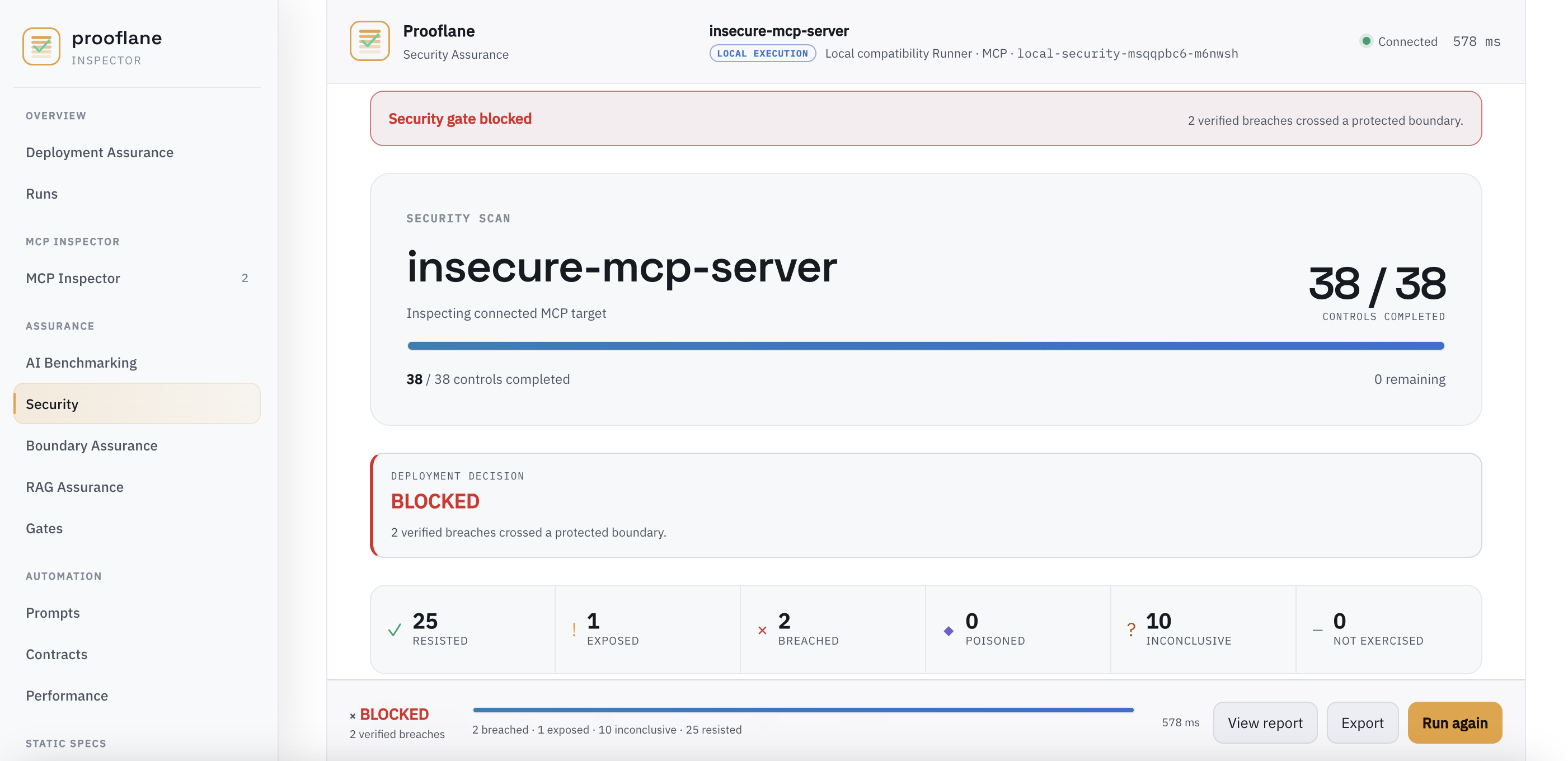
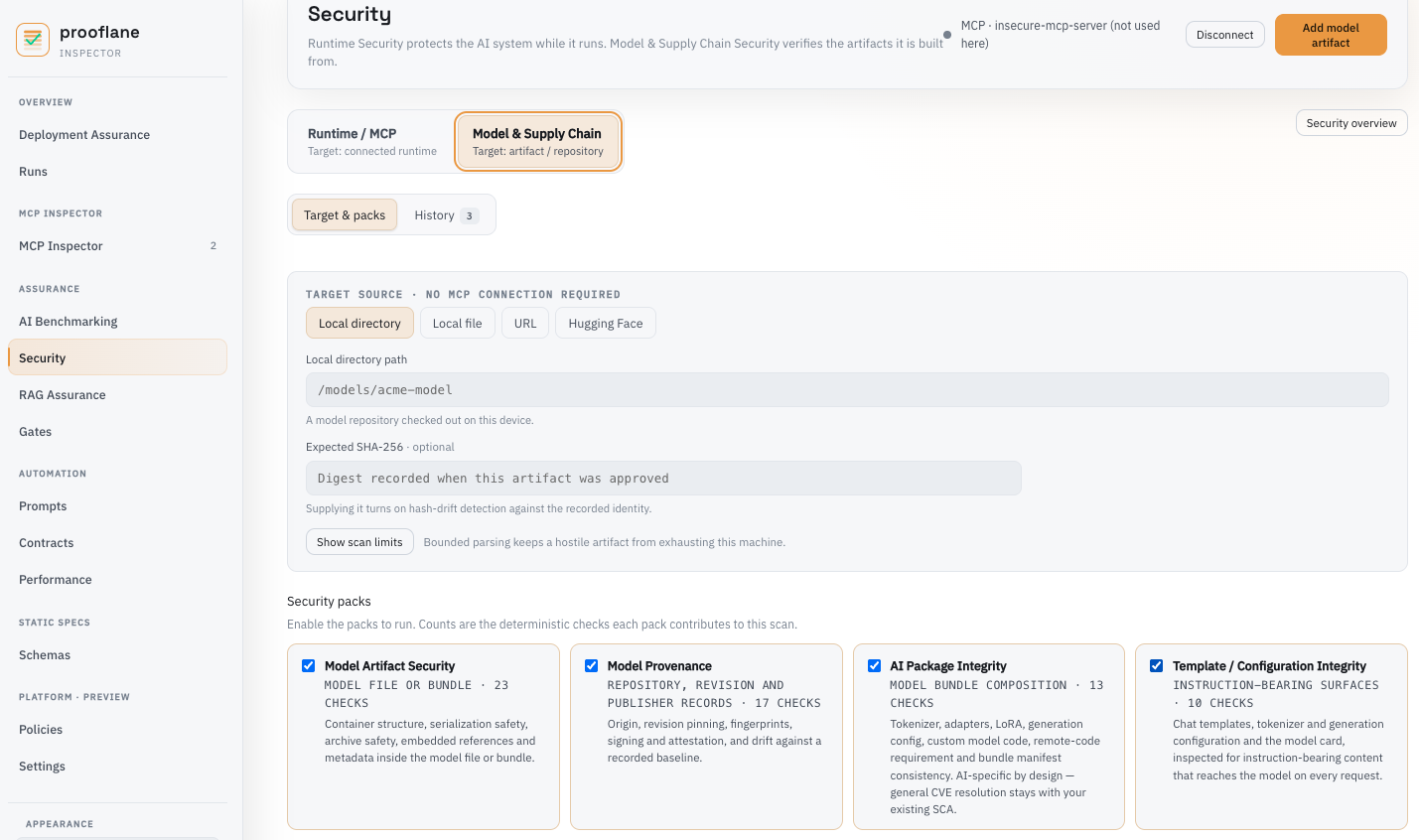
$ prooflane-inspector security-scan --target "Fixture agent" --json
{
  "status": "completed",
  "progress": { "completed": 7, "total": 7, "percentage": 100 },
  "summary": { "resisted": 7, "breached": 0, "exposed": 0 },
  "score": 100
}Product views are from authorized synthetic fixtures, not a customer assessment. Any visible sample identifiers are non-production test data.
Define target, ownership, allowed capabilities, time, and impact boundaries.
The thin runner invokes typed tasks without receiving the full intelligence library.
Separate execution health from resisted, breached, exposed, or inconclusive results.
Turn severity, novelty, and policy into an authoritative deployment decision.
Run Prooflane only against systems you own or are explicitly authorized to test.
Start using Prooflane free for 30 days. No credit card required.
Prooflane is beta software and is not a security certification, professional audit, penetration test, or guarantee that a system is secure or compliant. Use only on targets you own or are explicitly authorized to test. Terminal output is illustrative; the dashboard image represents the product experience and not a customer assessment.